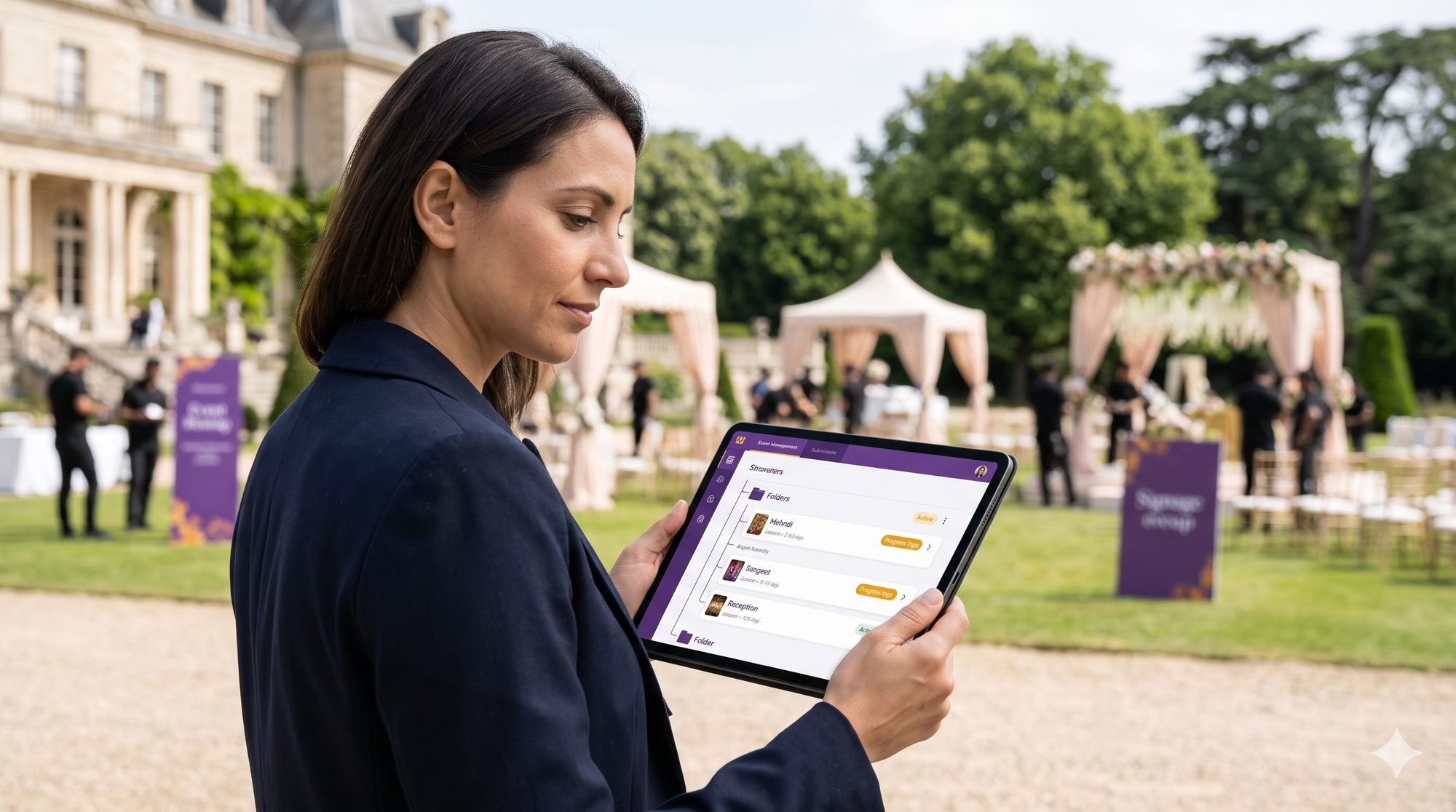
High-end destination weddings, multi-day summits, and luxury multi-cultural celebrations operate on an industrial scale. A single three-to-five-day event production often deploys four to eight photographers and cinematographers, capturing anywhere from 30,000 to over 70,000 raw frames across consecutive functions.
Yet, the default delivery model across the photography industry remains primitive: dumping thousands of images into a single, flat gallery link or sending an uncurated cloud drive folder.
When digital assets lack structure, client perception craters. Modern visual production teams are abandoning monolithic galleries in favor of hierarchical media architecture. By constructing structured, nested folder trees tailored to complex event timelines, production studios preserve asset discoverability, streamline real-time client reviews, and protect the luxury unboxing experience.
The Multi-Day Chaos: Why Flat Gallery Structures Collapse at Scale
Flat storage architectures were built for single-session portrait shoots, not complex multi-stage productions. Subjecting high-net-worth clients to an unstructured photo repository introduces friction that directly degrades your brand reputation.
The Complexity of 3-to-5 Day Productions
A traditional luxury celebration is not one event; it is an aggregation of distinct micro-productions. Consider a typical five-stage itinerary:
- Day 1: Welcome Dinner & Intimate Mehndi
- Day 2: Morning Haldi & High-Energy Evening Sangeet
- Day 3: Core Rituals (Mandap/Pheras) & Black-Tie Formal Reception
- Day 4: Post-Wedding Brunch & Poolside Afterparty
Each function features distinct lighting profiles, attire changes, guest lists, and production design teams. When files from separate ceremonies are pooled into a single continuous stream, finding key deliverables becomes an exercise in frustration.
The Cognitive Cost of Infinite Scroll
When clients and guests open a gallery link containing tens of thousands of thumbnails, browser performance plummets, mobile rendering stutters, and decision paralysis sets in.
Attendees will not scroll past the first 400 photos to find candid images of themselves taken two nights prior. This navigational fatigue results in abandoned sessions, minimal social sharing, and an immediate influx of support requests to the photographer: "Where are our Sangeet stage portraits?"
Asset Misplacement and Timeline Drift
Multi-shooter teams cycle through dozens of memory cards daily using different camera bodies (e.g., Sony A7R V, Canon R5, Leica SL3). If internal camera clocks drift by even four minutes, chronological sorting breaks down completely.
Golden-hour couple portraits become intercut with late-night dance rehearsals. Without a rigid structural hierarchy to quarantine assets by stage and ceremony, sorting errors compound exponentially during ingestion.
Principles of Modern Hierarchical Media Architecture
Transforming a chaotic data dump into an intuitive client portal requires an enterprise-level directory taxonomy.
Date-Phase-Function Segmentation
Directory organization begins by standardizing metadata nomenclature. Every parent node must map directly to:
- Absolute Date / Index: Anchors the master timeline chronologically (01_2026-11-12).
- Event Phase: Designates the sub-production tier (Pre_Ceremony, Main_Event, Afterparty).
- Functional Name: Matches the official client-facing itinerary (Sangeet_Gala).
This taxonomy eliminates ambiguous folder titles like "Day 2 Night" or "Reception Edits Final 2."
Multi-Tiered Folder Topology
Organizing high-volume libraries requires a 4-tier structural nesting format:
- Tier 1: Master Production Container: Houses the entire client ecosystem, commercial paperwork, raw archives, and live distribution nodes.
- Tier 2: Sub-Function Nodes: Individual operational hubs dedicated to each distinct event milestone.
- Tier 3: Micro-Moment Layers: Granular subdivisions categorizing Decor & Production Architecture, VIP Formal Portraits, Key Rituals, and Candid Guest Moments.
- Tier 4: Distribution Formats: Separation between high-resolution master print files (300 DPI uncompressed) and web-optimized social media assets (72 DPI, sRGB, embedded copyright).
Granular Permission Layering
Not every asset belongs in front of every guest. A resilient media hierarchy allows studios to configure independent privacy rules across different branches of the tree:
- Executive/Couple Private Nodes: Intimate pre-wedding getting-ready shots and uncurated culls remain locked behind biometric or pin-gated controls.
- Vendor & PR Nodes: High-res decor, floral, and lighting assets are provisioned directly to event designers, planners, and venues without granting access to private family moments.
- Public Attendee Nodes: Curated celebration imagery accessible to all verified attendees via quick mobile lookup.
Operational Workflows: Studio Management and Folder Optimization
Successfully executing an enterprise-tier architecture depends on the operational systems running behind the scenes. Studios scaling their operations must master:
- Multi day event photo management: Establishing strict card-offloading cadences, multi-unit master timecode synchronization, and localized SSD staging environments during the heat of production prevents data bottlenecks from compounding across consecutive days.
- Building an organized wedding photography asset folder: Establishing standard directory blueprints and batch-renaming rules before shooting begins ensures files are routed correctly into client-facing folders without manual post-event sorting.
- Deploying smart event folder tree sorting: Moving beyond manual human sorting by leveraging automated time-block clustering, visual scene classification, and biometric grouping lets systems automatically file decor, rituals, and guest portraits into their correct sub-folders right out of the camera.
Engineering the Guest Access Flow Across Multi-Level Trees
A folder hierarchy is only as good as the front-end user experience. If navigating nested folders requires multiple clicks through complex directory trees, guests will disengage.
Contextual Entry Points
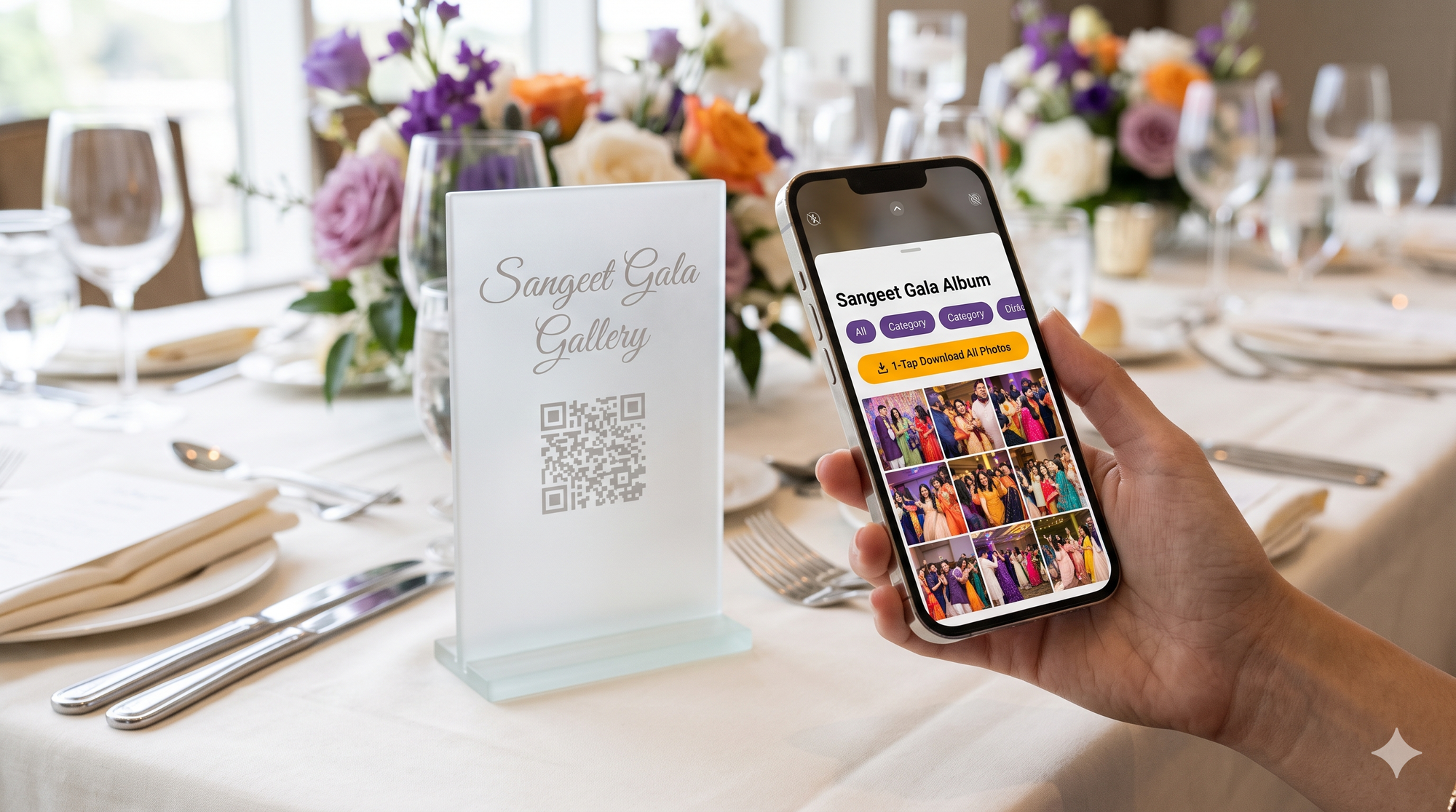
Modern event distribution eliminates root-level navigation for general attendees. By pairing specific physical spaces with contextual QR access points, guests are routed directly to relevant child nodes:
- Table QR Codes at Reception: Route guests directly to Day03_Reception/Table_Portraits.
- Welcome Desk Signage: Connects attendees to the Live_Daily_Highlights branch.
- VIP Access Badges: Deep-link immediately into personal biometric search streams across all nested days.
Dynamic Breadcrumbs and Mobile Navigation Ergonomics
Desktop directory trees fail on mobile devices. Modern platforms convert technical directory paths (/2026_SmithWedding/Day02/Sangeet/Decor) into visual, touch-friendly breadcrumb cards. Attendees can jump between the cocktail party and the ceremony with a single tap, viewing progress without losing their place in the sub-gallery.
The Kamero Competitive Advantage: Automated Multi-Function Trees vs. Static Drives
Traditional storage services and legacy proofing galleries were engineered for static archiving, not the dynamic demands of modern multi-day event production.
The Competitor Bottleneck
Generic cloud drives like Dropbox or Google Drive force clients to navigate sterile, technical file lists. Thumbnails fail to render for RAW or large JPEG files, mobile downloads trigger zipped archives that confuse non-technical users, and branding is completely non-existent.
Legacy photography platforms like Pixieset and ShootProof allow basic "sets," but they lack true multi-tier hierarchical depth. Uploading 40,000 photos across five distinct sub-events requires hours of manual folder configuration, with zero support for multi-shooter field ingestion.
Dynamic Tree Architecture in Kamero
Kamero redefines event asset delivery with automated, scalable tree architecture. Rather than building folders manually after the event concludes, studios configure their multi-day production blueprint in advance.
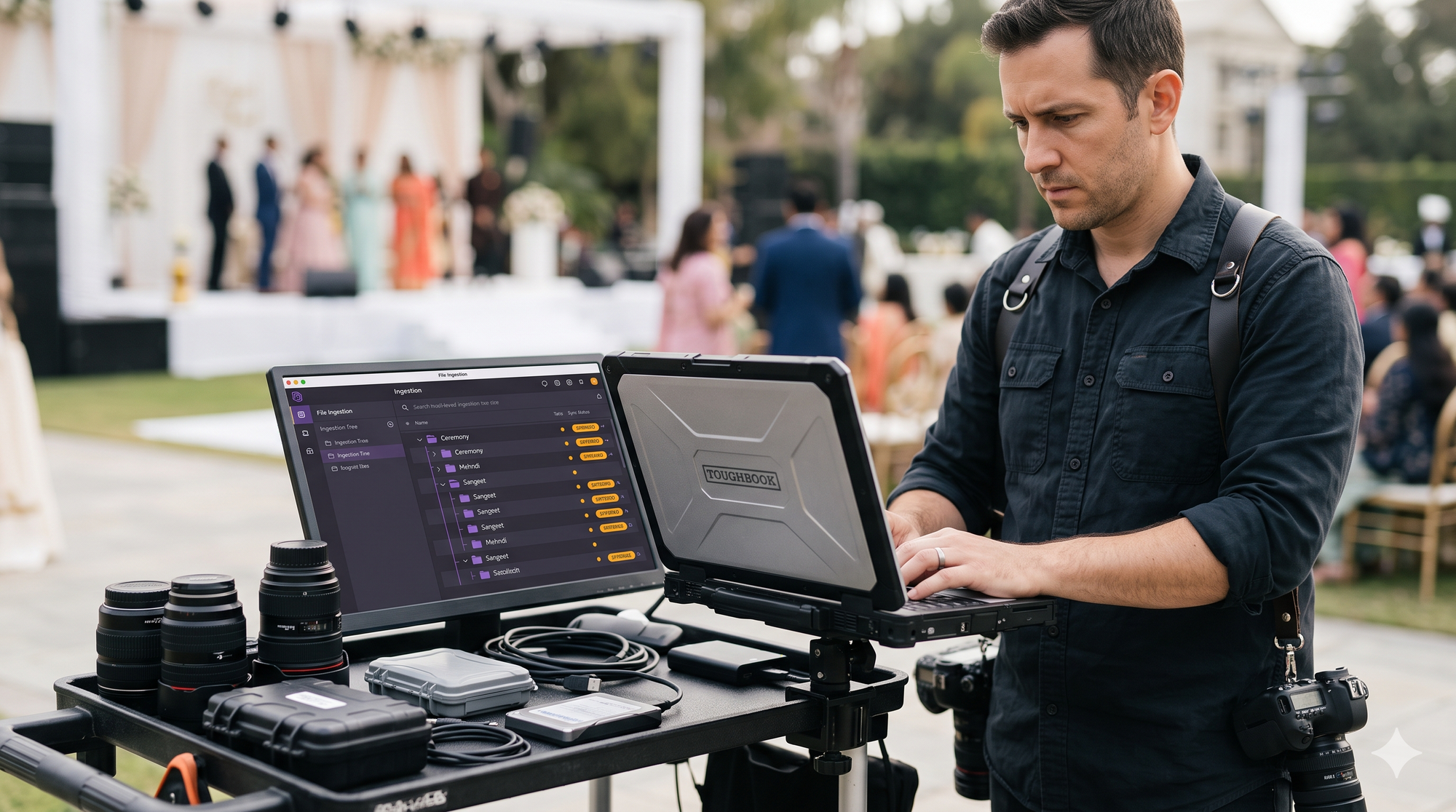
Using Kam-Sync, field photographers push raw or optimized assets directly from their cameras into pre-assigned sub-event nodes via localized 5G or Wi-Fi networks. As the Sangeet or reception unfolds, photos populate their respective sub-directories in real time—instantly cataloged, compressed for high-speed mobile delivery, and indexed without manual post-production intervention.
Unified Client Portal
Kamero packages complex multi-day folder trees into a seamless, white-label mobile application and web ecosystem. Clients never see raw directory paths or vendor watermarks.
Instead, they navigate an interactive visual portal bearing the studio’s or event agency's brand identity. Most importantly, Kamero’s proprietary AI engine searches across the entire multi-day folder tree simultaneously. A guest can upload a single selfie on Day 1 and instantly retrieve their portraits across every sub-event—from the Welcome Dinner to the final Reception—in under three seconds.
Standard Operating Procedure (SOP): Folder Taxonomy Template for 3-Day Luxury Events
To guarantee organizational consistency across all production shooters, integrate this master directory blueprint into your studio's standard operating procedures:
Frequently Asked Questions About Hierarchical Media Architecture
How does hierarchical folder nesting impact mobile gallery load speeds?
Hierarchical folder nesting substantially improves mobile loading performance. Instead of forcing a mobile browser to parse a document object model (DOM) containing 5,000 thumbnail images, a nested architecture loads only the top-level parent cards. Data queries are localized strictly to the specific child node the user selects, reducing memory overhead, eliminating stutter, and saving user cellular bandwidth.
Can guests download an entire multi-day event tree at once?
In consumer cloud drives, bulk downloads trigger massive ZIP archives that frequently time out, fail on mobile operating systems, and fill device storage. In an optimized platform like Kamero, clients can download specific sub-event nodes (e.g., just the "Reception Highlights") with a single tap directly to their native device camera roll, or choose to export their personalized, AI-curated photo stream across all days simultaneously.
What is the ideal naming convention to prevent multi-camera chronological scramble?
To ensure complete chronological accuracy across multi-camera setups, synchronize all camera bodies to atomic time before the shoot begins. Apply a standardized batch-renaming string upon ingestion:
Modernize Your Event Asset Architecture
Eliminate chaotic file dumps, protect your luxury client experience, and scale your studio's operational capacity with next-generation event infrastructure.
Book a Kamero Demo to see real-time multi-day folder orchestration in action, or Sign Up for a Free Trial to elevate your delivery workflows. To stay updated with the latest in modern event technology and photography workflows, Follow Kamero on Instagram.
About Pavani Nagar
Hey there! Pavani Nagar, a Digital Marketing Manager who enjoys working on content, social media, and figuring out what makes people pay attention. I like trying new ideas, learning along the way, and keeping things simple.